Hospital indemnity is one of the most requested products agents have asked Agent CRM to build a dedicated bundle for.
And it makes sense.
Hospital indemnity can be a valuable product for agents who want to help clients prepare for unexpected hospital-related costs. It can also create strong cross-sell opportunities and give agents another practical way to serve their book of business.
But hospital indemnity never quite made the roadmap as its own standalone Agent CRM bundle.
Not because it is not valuable.
Not because agents do not need support selling it.
The reason is simple: there were not enough agents selling hospital indemnity inside the Agent CRM ecosystem to justify building and maintaining a full dedicated bundle from scratch.
The good news is that you do not have to wait for a dedicated hospital indemnity bundle.
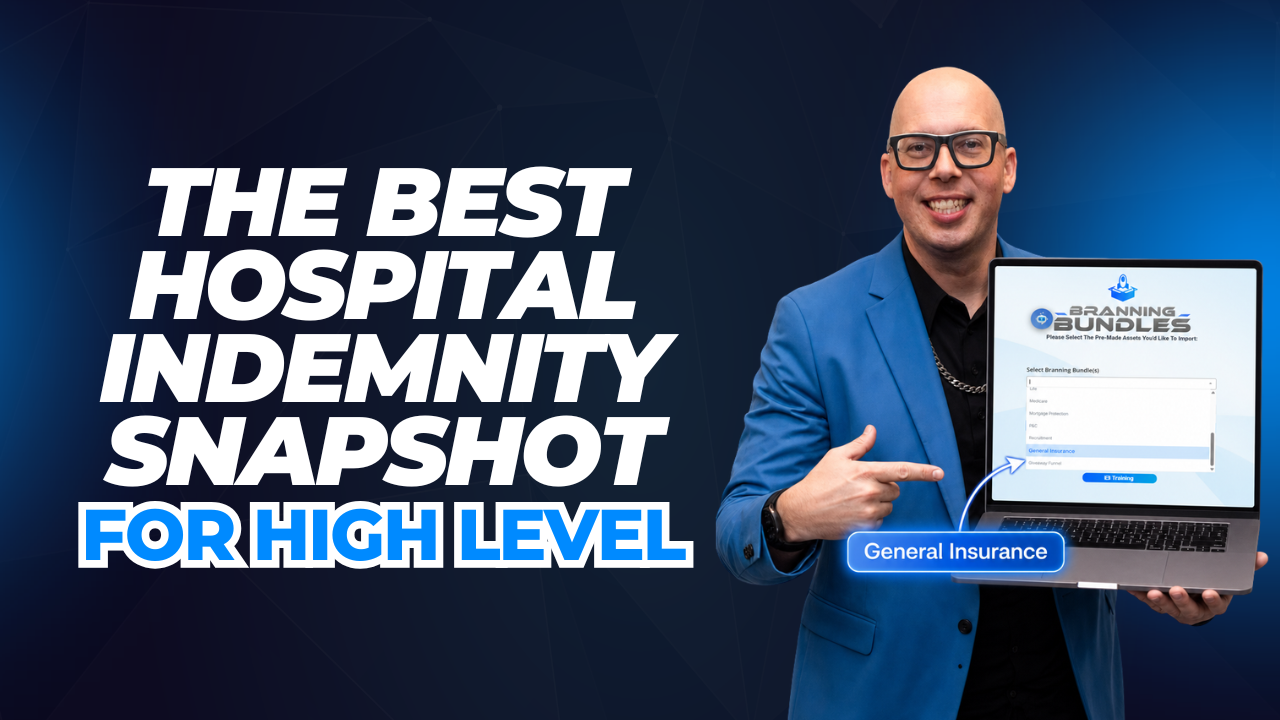
The General Insurance Snapshot was built to solve exactly this problem.
It gives Agent CRM users a flexible, editable system that can be shaped around hospital indemnity or other insurance products that do not currently have their own dedicated build.
How the General Insurance Snapshot Works for Hospital Indemnity
The General Insurance Snapshot comes fully built out with the same kind of structure Agent CRM users expect from a strong insurance system.
It includes:
- lead generation workflows
- new lead follow-up
- nurture emails
- text message sequences
- pipeline stages
- website pages
- calendar pages
- appointment reminders
- no-show follow-up
- client follow-up
- referral requests
- cross-sell opportunities
- policy review reminders
The default language is broad by design.
That is what makes it useful.
You can update the wording, tags, keywords, funnel copy, emails, and texts so everything speaks directly to hospital indemnity prospects.
You are not building the entire system manually.
You are starting with a complete foundation and making it specific to the product you want to sell.
Keyword-Based Lead Capture
One of the easiest ways to customize the General Insurance Snapshot for hospital indemnity is through keyword-based lead capture.
The snapshot includes five lead generation workflows for sources like:
- social media comments
- text-in campaigns
- vendor leads
- direct lead capture
- new lead routing
Instead of having leads text in a broad keyword like “insurance,” you can change the keyword to something more specific, like:
hospital
Now, when someone texts that keyword, they can be tagged as a hospital indemnity lead and moved into the correct follow-up process.
That gives you a cleaner system from the very beginning.
You know what the prospect is interested in.
The contact can be tagged correctly.
The right workflow can start.
And the lead can move toward your calendar without you having to manually sort everything out.
A Pipeline Built for Tracking Hospital Indemnity Leads
Hospital indemnity prospects need follow-up like any other insurance lead.
Some will book quickly.
Some will need more nurturing.
Some will miss appointments.
Some will become clients and then need future follow-up.
The General Insurance Snapshot includes a visual pipeline that helps you track where each person stands.
You can see stages like:
- new lead
- appointment scheduled
- no-show
- appointment completed
- current client
- referral opportunity
- policy review
This makes lead management much easier.
Instead of relying on memory, spreadsheets, or scattered notes, you can see your hospital indemnity opportunities inside Agent CRM.
If someone books an appointment, you know where they are.
If someone misses the call, you can move them into no-show follow-up.
If someone becomes a client, they can move into client workflows for referrals, cross-sells, and future reviews.
The pipeline gives you a clear visual system for managing the full process.
Automated Nurture and Follow-Up
The General Insurance Snapshot includes 12 nurture emails plus a complete new lead text and email sequence.
That is important because most leads do not convert from one message.
They need follow-up.
They need reminders.
They need education.
They need to see you more than once.
The default messages are written broadly enough that you can customize them for hospital indemnity.
For example, you can take general language like “insurance options” and make it more specific:
- “hospital indemnity coverage”
- “extra protection for hospital-related costs”
- “supplemental benefits for unexpected hospital stays”
- “coverage that can help with out-of-pocket hospital expenses”
This gives you a strong starting point.
You do not have to write every text and email from scratch.
You simply adjust the language to match hospital indemnity and launch the follow-up system.
English and Spanish Messaging Are Included
The snapshot also includes messaging in both English and Spanish.
That gives agents more flexibility when serving different audiences.
If you want to customize both languages for hospital indemnity, you can.
If you prefer to customize only one language first, you can leave the other language more general and still have a usable follow-up sequence.
This is helpful for agents who want to get moving quickly without getting stuck editing every single piece before they launch.
You can start with the essentials and improve the messaging over time.
A Dedicated Website and Calendar
The General Insurance Snapshot also includes a full website funnel and a calendar.
That means you can create a hospital indemnity-specific experience without building the pages from scratch.
The funnel can include:
- homepage
- calendar page
- privacy policy
- terms and conditions
- document upload page
- editable educational page
The editable page is especially useful because you can use it to explain what hospital indemnity insurance covers.
For example, you can customize the page around:
What is hospital indemnity insurance?
Then, when someone lands on the page, they can learn about the product and book a call through the connected calendar.
That creates a cleaner path from interest to appointment.
It also helps you prepare for the call because you know exactly what product the lead wants to discuss.
Built-In Retention After the Sale
The General Insurance Snapshot is not only built for new leads.
It also includes client follow-up after someone becomes a customer.
Once a hospital indemnity lead becomes a client, the snapshot can move them into workflows for:
- onboarding
- referral requests
- cross-sell opportunities
- policy review reminders
- ongoing client follow-up
This matters because hospital indemnity can naturally lead to other insurance conversations.
A client who buys hospital indemnity may also be a fit for other supplemental products.
They may have friends or family members who could benefit from similar coverage.
They may need a review later.
The snapshot helps you stay connected after the initial sale, instead of letting the client relationship go quiet.
Why This Is Better Than Waiting for a Dedicated Bundle
You could wait and hope a dedicated hospital indemnity bundle gets built someday.
Or you could start now with the General Insurance Snapshot.
The benefit is speed.
The snapshot already gives you the structure:
- lead capture
- tagging
- follow-up
- nurturing
- appointment reminders
- no-show recovery
- pipeline tracking
- client retention
- referral requests
- review workflows
- funnel pages
- calendar booking
Then you customize the content for hospital indemnity.
That is much faster than starting from a blank account.
It also gives you more control because you can shape the system around your specific offer, audience, and sales process.
AI Follow-Up With LOANNE and AgentAI
One of the most powerful additions to any insurance workflow is automated AI follow-up — and Agent CRM has two tools built for that.
LOANNE is Agent CRM’s AI voice assistant. She can call hospital indemnity insurance leads, confirm appointments, and handle after-hours inquiries — all without you picking up the phone. When a new lead comes in at 10pm, LOANNE reaches out immediately while the lead is still warm.
AgentAI is the conversational AI layer built into your pipeline. It can respond to inbound texts, qualify leads, and book appointments automatically. For hospital indemnity insurance agents managing multiple leads across different states or time zones, AgentAI keeps your pipeline moving around the clock.
Both tools are included with your Agent CRM subscription and work inside the General Insurance Snapshot from day one.
Branning Bundles: Done-For-You Marketing Systems
Beyond the General Insurance Snapshot, Agent CRM’s Branning Bundles give agents pre-built marketing systems for the highest-demand insurance lines — including annuities, Medicare, health insurance, IUL, life insurance, and more.
If you also sell one of those product lines alongside hospital indemnity insurance, you can activate the relevant Branning Bundle alongside your General Insurance Snapshot. All your pipelines, automations, and contacts live inside one system.
Every Branning Bundle includes:
- Pre-written email and SMS follow-up sequences
- Automated contact card delivery
- Lead capture workflows
- Appointment booking and reminder automations
- Referral request sequences
You activate it, customize your branding, and the system runs your marketing in the background.
Getting Started
Because the General Insurance Snapshot runs on the Agent CRM Account Customizer, turning it into a hospital indemnity system is straightforward.
Start by updating your keywords.
Then update your tags.
Then adjust the email and text language so the messaging speaks directly to hospital indemnity prospects.
Then update your website page and calendar so the full experience matches the product you are promoting.
Once those pieces are in place, you have a complete hospital indemnity pipeline ready to use.
You can generate leads, book appointments, send follow-up, manage no-shows, track opportunities, ask for referrals, and stay in touch with clients.
That is exactly what a flexible insurance snapshot should help you do.
Final Takeaway
Hospital indemnity may not have its own dedicated Agent CRM bundle, but that does not mean agents are stuck without a system.
The General Insurance Snapshot was built for product lines like this.
It gives you a flexible, editable foundation that can become a complete hospital indemnity marketing and follow-up system.
You get the workflows, emails, texts, pipelines, website pages, calendar structure, nurture sequences, no-show follow-up, referral requests, cross-sell opportunities, and review reminders.
Then you customize it around hospital indemnity.
That is why this may be the best hospital indemnity snapshot for HighLevel.
You do not have to wait for a dedicated bundle.
You can start with the General Insurance Snapshot and make it your own.
Frequently Asked Questions
What is the General Insurance Snapshot?
The General Insurance Snapshot is a complete, editable insurance marketing system inside Agent CRM. It includes automations, pipelines, website pages, email sequences, text sequences, and lead capture workflows. You customize it for hospital indemnity insurance by updating the language, keywords, and branding — without building anything from scratch.
Do I need a separate CRM for hospital indemnity insurance?
No. Agent CRM handles hospital indemnity insurance alongside any other product you sell. All your leads, pipelines, automations, and follow-up sequences are in one place. If you also sell Medicare, life insurance, or other lines, you can run those pipelines in the same account using Branning Bundles.
What does Agent CRM cost?
Agent CRM Starter is $97/month and includes the General Insurance Snapshot, all Branning Bundles, AgentAI, LOANNE, contact card automation, and 24/7 support — with a 14-day free trial. Agent CRM Pro is $197/month and adds unlimited 1-on-1 coaching, The Growth Rooms, and advanced advertising tools.
How does LOANNE help with hospital indemnity insurance leads?
LOANNE is Agent CRM’s AI voice assistant. She can call new leads immediately, confirm scheduled appointments, and handle after-hours inquiries. For hospital indemnity insurance agents, this means no lead goes cold overnight or over the weekend — LOANNE follows up automatically so you can focus on the conversations that close.
Can I run hospital indemnity insurance and other insurance lines in the same Agent CRM account?
Yes. Agent CRM is built for multi-line agents. You can run the General Insurance Snapshot for hospital indemnity insurance alongside dedicated Branning Bundles for Medicare, annuities, health insurance, or any other product line — all in one account, with one subscription.
✅ Build Your Hospital Indemnity Insurance System Inside Agent CRM
Agent CRM gives hospital indemnity insurance agents a complete lead capture, follow-up, and retention system — without piecing together multiple tools.
Start your free 14-day trial of Agent CRM and get the General Insurance Snapshot, all Branning Bundles, AgentAI, LOANNE, and 24/7 support — all included in your subscription.
You’ll also get access to:
- The Ultimate Insurance Snapshot guide — everything the snapshot includes
- Contact Rate Guide — how to boost your answer rates with AI
- Agent CRM vs. GoHighLevel Pricing — full comparison
🛠️ Need help setting it up?
Book a kickoff call with our support team and we can walk you through customizing the snapshot for hospital indemnity insurance.
🎙️ Listen to Agency Acceleration
Practical conversations on insurance marketing, automation, and scaling your agency — new episodes weekly.