At Agent CRM, our mission has always been to simplify your sales and enrollment workflows—so you can spend less time on repetitive tasks and more time helping your clients.
Today, we’re thrilled to announce the launch of a powerful new tool built exclusively for Agent CRM users: the Agent CRM Data Bridge Chrome Extension (download).
🔗 What Is the Agent CRM Data Bridge?
The Agent CRM Data Bridge is a Chrome extension that acts as a connector between your CRM and your enrollment platforms. With just a couple of clicks, you can copy contact data directly from Agent CRM and automatically fill out enrollment forms—no more typing everything out by hand.
It’s designed to do two things really well:
✅ Save you time
✅ Reduce the risk of human error
No more copy/paste fatigue. No more typos that slow down the application process. Just smooth, seamless transitions from CRM to carrier or enrollment platform.
⚙️ How It Works: A 2-Click Data Transfer
Using the Data Bridge is incredibly simple:
Step 1: Copy From Agent CRM
While viewing any Contact inside Agent CRM, click the Data Bridge Chrome extension and select “Copy Contact.” The extension will save the contact’s details—name, email, phone, address, and more.
Step 2: Paste Into Your Enrollment Platform
Navigate to the enrollment platform or carrier portal where you’re filling out the application. When you’re ready, click the extension again and select “Fill Form.”
💥 Like magic, the form will auto-populate with the contact’s data!
It works on most major enrollment and quoting platforms, and we’re adding support for more regularly.
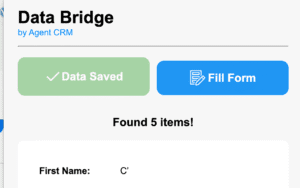
Agent CRM data bridge screenshot
✨ Why Insurance Agents Love It
This tool was built with your daily routine in mind. Here’s why we think it’s a game-changer:
🕒 Cut Down on Repetitive Work
You’re entering the same info over and over again—now, you don’t have to.
🔍 Eliminate Typos & Missed Fields
No more second-guessing phone numbers or zip codes.
💻 Compatible With Every Major Platform
From Medicare enrollments to health applications to quoting tools—if you fill out forms in your browser, Data Bridge can probably help.
💬 Better Client Experience
Faster, more accurate application submissions mean happier clients and fewer delays.
🔐 Built for Agent CRM Users Only
The Agent CRM Data Bridge is exclusively available to active Agent CRM users. It’s a premium feature built to enhance our already-powerful CRM platform—and it’s completely free to use once installed.
🛠️ Need Help? We’ve Got You.
Have questions or want help getting it set up? Our support team is ready to assist you with installation, troubleshooting, or feedback.
Visit live.agent-crm.com to hop on a Zoom call with our team, or email us anytime at support@agent-crm.com.
📥 How to Get Started
Getting the Data Bridge up and running takes less than 2 minutes:
-
Visit the Chrome Web Store and search for “Agent CRM Data Bridge”
-
Click “Add to Chrome”
-
Open Agent CRM and view any contact
-
Click the extension and select Copy Contact
-
Go to your enrollment platform, open the form, click the extension again, and select Fill Form
That’s it. From CRM to carrier in seconds.
👇 Ready to Try It?
Install the Agent CRM Data Bridge now and see how much time you’ll save—day after day.